- Your cart is empty
- Continue Shopping

Recently Viewed



Realtime Landscaping Architect 2025 Lifetime Activation for Windows
Realtime Landscaping Architect 2025 Lifetime Activation for Windows
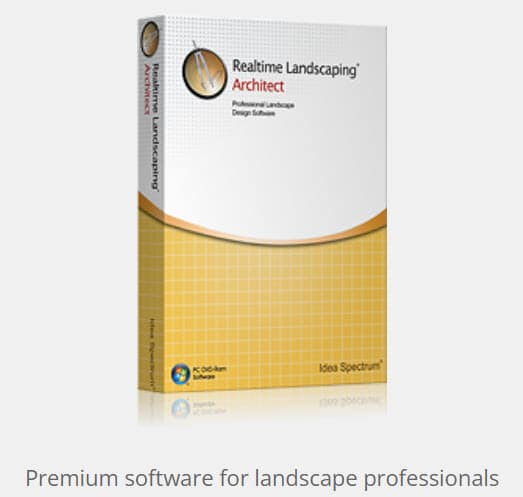
$89.99Current price is: $89.99. Original price was: $169.99.
-47%Lifetime license
For Windows
Comes with activation files
Product Description
Why Choose Realtime Landscaping Architect 2025?
Unlike basic landscaping apps that only create simple sketches, Realtime Landscaping Architect 2025 allows users to build detailed outdoor environments with professional-level precision and realistic visual presentations.
The software combines CAD-style planning tools with immersive 3D walkthroughs, helping users preview projects before construction begins.
Whether you are planning a backyard renovation, luxury garden project, commercial landscape, or pool installation, the software helps turn ideas into realistic designs within minutes.
What You Get With This License
Realtime Landscaping Architect 2025 is the full commercial version — not a trial, not a limited edition. Your purchase includes:
- ✔ Complete Realtime Landscaping Architect 2025 software
- ✔ Lifetime activation files — no subscription, no expiry
- ✔ Windows 10 / 11 compatible
- ✔ Instant digital delivery to your inbox
- ✔ Access to the full feature set from day one
One license. One payment. Permanent access.
Feature Breakdown — What Makes It Worth It
- 12,000+ Plant Library With Smart Filters
The plant database in Realtime Landscaping Architect 2025 covers trees, shrubs, ground cover, ornamental grasses, perennials, and region-specific vegetation. Each plant is rendered with seasonal variation — so you can see exactly how your garden looks in spring versus late autumn. Filter by climate zone, sun exposure, water requirements, and mature height to make accurate planting decisions before a single seed goes in the ground.
- Real-Time 3D Rendering — No Waiting, No Rendering Queue
Unlike software that makes you wait minutes for a render to process, Realtime Landscaping Architect renders your design continuously as you work. Rotate, zoom, walk through your project, and assess every angle without interrupting your workflow. This live feedback loop is what separates it from outdated drafting-style landscape tools.
- Hardscape Design — Decks, Patios, Driveways, and Walls
Design and material-test every hard surface element with precision tools built specifically for the task. Choose from a library of materials — natural stone, composite decking, poured concrete, brick pavers, gravel, and more — and see how each option changes the visual tone of the entire space. Retaining walls, raised planters, steps, and borders are all handled in the same environment without switching tools.
- Water Feature Simulation
Ponds, fountains, waterfalls, streams — Realtime Landscaping Architect simulates moving water with realistic visual behavior. Design the shape, position the flow, and see how a water feature integrates with the surrounding planting before any excavation work begins. This is especially valuable for project proposals, where clients need to visualize a feature that doesn’t yet exist.
- Nighttime Lighting Designer
Outdoor lighting design is one of the most commonly underestimated elements of a landscape project. The built-in lighting module lets you position spotlights, path lights, wall sconces, and ambient fixtures, then switch your view to after-dark mode to evaluate the full effect. What looks balanced in daylight can look entirely different at night — this tool eliminates that guesswork.
- Terrain Modeling and Slope Management
Real landscapes aren’t flat. The terrain editor lets you sculpt slopes, berms, raised beds, and natural grade changes directly onto your site plan. Paired with drainage and grading visualization, this makes Realtime Landscaping Architect a genuinely useful tool for contractors who need to account for elevation and water runoff — not just aesthetics.
- Fences, Pergolas, Outdoor Structures, and Furniture
A landscape design is incomplete without its structural and furnishing elements. The software includes an extensive library of fences, trellises, pergolas, garden sheds, outdoor kitchens, fire pits, and patio furniture — all fully customizable in size, material, and color. Position them in your design, render them in 3D, and refine the layout before anything is built.
- SketchUp Model Import
If you or your client already has custom 3D objects built in SketchUp, Realtime Landscaping Architect imports them directly. This makes it compatible with existing architectural workflows, particularly useful for projects where the landscape design needs to integrate with a specific building structure.
- 2D Site Plan Output
Beyond the 3D presentation, the software generates clean, dimensioned 2D site plans suitable for contractor handoff and permit submissions. Scale-accurate and professionally formatted, these plans communicate layout and dimensions without ambiguity.
- Virtual Walkthrough Mode
Present your completed design not as a static image, but as a walkthrough. Navigate through the space at ground level, moving from the front entry through the garden, around the pool deck, and into the backyard — exactly as a visitor would experience it in real life. This feature alone has become a standard client presentation tool for landscaping firms using the software.
System Requirements
Before purchasing, confirm your machine meets the minimum specs for smooth operation:
| Requirement | Minimum | Recommended |
|---|---|---|
| OS | Windows 10 | Windows 11 |
| Processor | 2GHz dual-core | 3GHz quad-core or faster |
| RAM | 8GB | 16GB or more |
| Graphics | DirectX 11 compatible | Dedicated GPU with 4GB VRAM |
| Storage | 10GB free space | 20GB+ SSD recommended |
| Internet | Required for activation | Broadband for updates |
Who Realtime Landscaping Architect License Is Built For
Landscape Architects and Design Firms produce client-ready presentations without outsourcing 3D rendering. Walk clients through their future outdoor space in a meeting, close the project on the spot, and hand contractors a dimensioned plan the same day.
Landscape Contractors and Builders Stop relying on hand sketches and basic diagrams to sell projects. A photorealistic design presented with Realtime Landscaping Architect closes proposals faster and reduces scope-of-work disputes because clients can see exactly what they’re getting.
Homeowners Planning Significant Outdoor Projects. If you’re investing in a major renovation — a new pool, a full garden redesign, an outdoor entertainment area — this software lets you test every option before spending a dollar on labor or materials. The lifetime license costs less than a single hour of most landscape architecture consultations.
Property Developers and Real Estate Professionals Render outdoor spaces before construction is complete to support pre-sales marketing. Landscaped properties sell faster — and showing buyers a finished, photorealistic outdoor space is far more compelling than an empty lot or a muddy construction site.
Students and Academic Programs in Landscape Architecture Realtime Landscaping Architect’s combination of professional-grade output and accessible interface makes it a practical teaching tool for landscape architecture, horticulture, and environmental design courses.
Questions & Answers
Q: Is this the full version of Realtime Landscaping Architect 2025, or a limited edition?
A: This is the complete, unrestricted commercial version. Every feature described on this page is included and fully accessible from the moment you activate.
Q: Does this license work on macOS?
A: No. Realtime Landscaping Architect 2025 is designed exclusively for Windows 10 and Windows 11. If your primary machine runs macOS, this license is not compatible.
Q: Can I install the software on more than one computer?
A: The license activates on a single Windows machine. If you need to transfer it to a new device — after a hardware change or system replacement — contact the support team to arrange reactivation.
Q: How fast will I receive my activation files?
A: In most cases, delivery is instant — your files arrive in your inbox within minutes of completing payment. In exceptional cases, delivery may take up to 24 hours.
Q: What happens if my activation doesn’t work after installation?
A: Contact the support team directly via WhatsApp or the contact form on Purchase-Software. Activation issues are resolved promptly, and if a file is faulty, it will be replaced at no charge.
Q: Is an internet connection required to use the software after activation?
A: An internet connection is needed for the initial activation process and for downloading updates. Standard day-to-day use of the software does not require a permanent internet connection.
Q: Can I use this software professionally — for client projects and commercial work?
A: Yes. The license covers professional and commercial use. There are no restrictions on project type or client work.
Q: Does the plant library include region-specific or climate-specific vegetation?
A: Yes. The 12,000+ plant library includes region-specific plants with filter options by climate zone, sun requirements, water needs, and seasonal behavior — making it practical for projects in a wide range of geographic locations.
Q: Will I receive updates to the 2025 version after purchasing?
A: Minor updates and patches within the Realtime Landscaping Architect 2025 version are included. Major new releases — such as a 2026 version — would require a separate purchase, which Purchase-Software typically offers at a discounted upgrade price for existing customers.
Q: Is Realtime Landscaping Architect suitable for large commercial landscape projects, or only residential?
A: It handles both. The software scales from small residential garden designs to large commercial site plans, public park layouts, and multi-structure property developments. The terrain modeling, hardscape tools, and 2D plan output make it practical for contractor-level commercial work.
Related products
-25%

Nuance OmniPage Ultimate 19 OCR Licence Key
$29.99Current price is: $29.99. Original price was: $39.99.
-57%

Magix Sony VEGAS Pro 22 -Professional Video Editor- Effects & Color grading
$29.99Current price is: $29.99. Original price was: $69.99.
-69%

Maxon Cinema 4D 2025 Lifetime Activation for Windows
$49.99Current price is: $49.99. Original price was: $159.99.
-47%

Topazlabs Gigapixel Ai 8 Lifetime License for Windows
$29.99Current price is: $29.99. Original price was: $56.99.
-47%
Nitro Pro 14 PDF Editor – Document management- create – protect – convert
$25.99Current price is: $25.99. Original price was: $48.99.
-0%
Blackmagic Design DaVinci Resolve 19 Studio For Windows
$29.99Current price is: $29.99. Original price was: $30.00.
-57%
Convert X to DVD 7 – Convert and burn videos to DVD – all video formats
$12.99Current price is: $12.99. Original price was: $29.99.
-25%
Claris FileMaker Pro 21 – Create a custom app – For Windows
$29.99Current price is: $29.99. Original price was: $39.99.